For seven years now, I’ve been living dangerously by only using my corporate phone for everything. I knew this was wrong, yet couldn’t resist, until this week.
There were only two, day-to-day negative impacts of relying on a corporate phone.
The first, admittedly minor, though surprisingly annoying, one is that any explicit songs in Apple Music were blocked. It isn’t that I feel compelled to listen to explicit lyrics. Rather, there are lots of good songs with a few swear words thrown in, especially for the more high-energy rock I prefer for workouts. Sometimes clean versions are available, though they lack the power of the real versions.
I read many more books this year than in recent, past years. Although this was intentional, I’m glad it worked out. I really cut back on my various internet feeds, so that I was less distracted away from books. Purchasing a Kobo and connecting it to the local public library was also helpful.
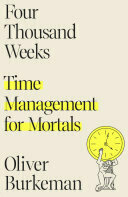
The most influential non-fiction book for me this year was Four Thousand Weeks by Oliver Burkeman. Plenty of practical and insightful advice in this book.
I’ve been interested for a while now in better understanding the underlying mechanics of computers. I’ve also been keen to do something other than stare at a screen. Turing Tumble is a fun solution to both of these goals.
Turing Tumble is an educational game in which you build a mechanical computer that is powered by marbles. The game comes with a comic book that guides you through ever more complex computing principles, adding more sophisticated parts as you progress. Each principle is presented as a challenge in which you’re given a goal and a few starting pieces. You then have to integrate some earlier principles into the new goal to come up with a solution. The challenges get pretty tough! But, I’m enjoying figuring out each puzzle while making progress through the story.
Other than knowing if I was physically capable of finishing, the main source of uncertainty when I signed up for my first triathlon was how much it would cost. Starting out, I had one pair of running shoes and some goggles from my kids’ swimming lessons. So, I knew I’d need to invest in a lot of gear.
Here’s the list of what I ended up buying along with some commentary. Of course it is important to note that these costs can vary widely, based on what you may already have and the budget you’re willing to spend. For several of these items, there’s a very wide range of costs from barely good enough to really fancy. I tended towards the medium-low end of the distribution: enough to get good, reliable equipment, but far away from top end. I figured I should at least finish one triathlon before investing too much money in equipment.
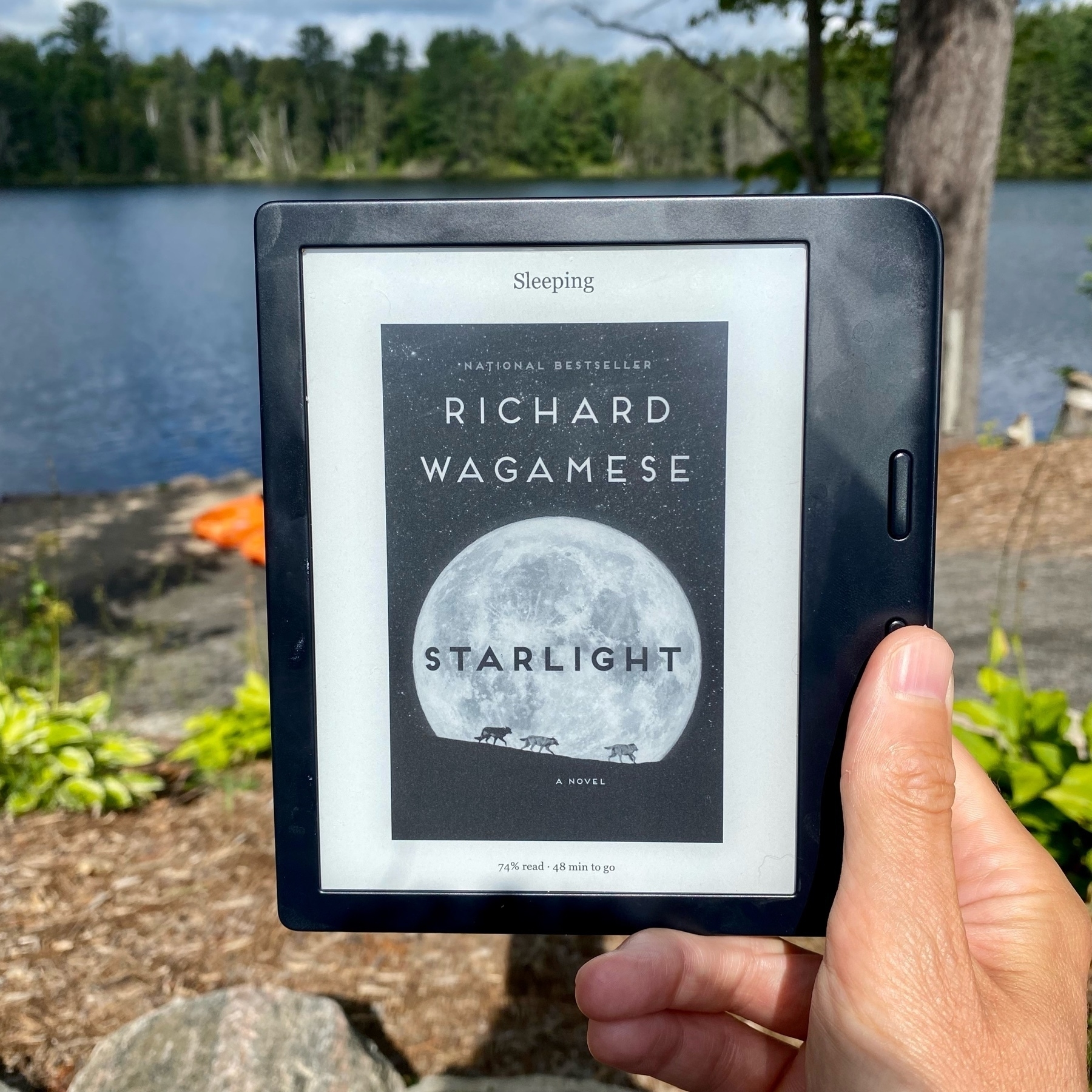
As a follow up to my earlier post, now that I’m on the eleventh book of my vacation, I can confirm that the Kobo Libra 2 is exactly what I’d hoped.
The screen has been easy to read in all lighting (especially bright sunlight on the dock), the page turn buttons are reliable, and the public library integration has been seamless.
After a few days of recovery, and before I forget, here are a few notes on the Tremblant 70.3 Ironman.
The short version (given there’s lots of details below) is that the course was fantastic and the race was really well organized.
Pre-race
This part was easy and the day prior to the race. There were scheduled times for registration and all we needed was the QR code from our online payment. With that, they handed over a wristband, timing chip, all sorts of stickers with my bib number, swim cap, t-shirt, and a morning gear bag for transferring clothing from the swim start to the run finish.
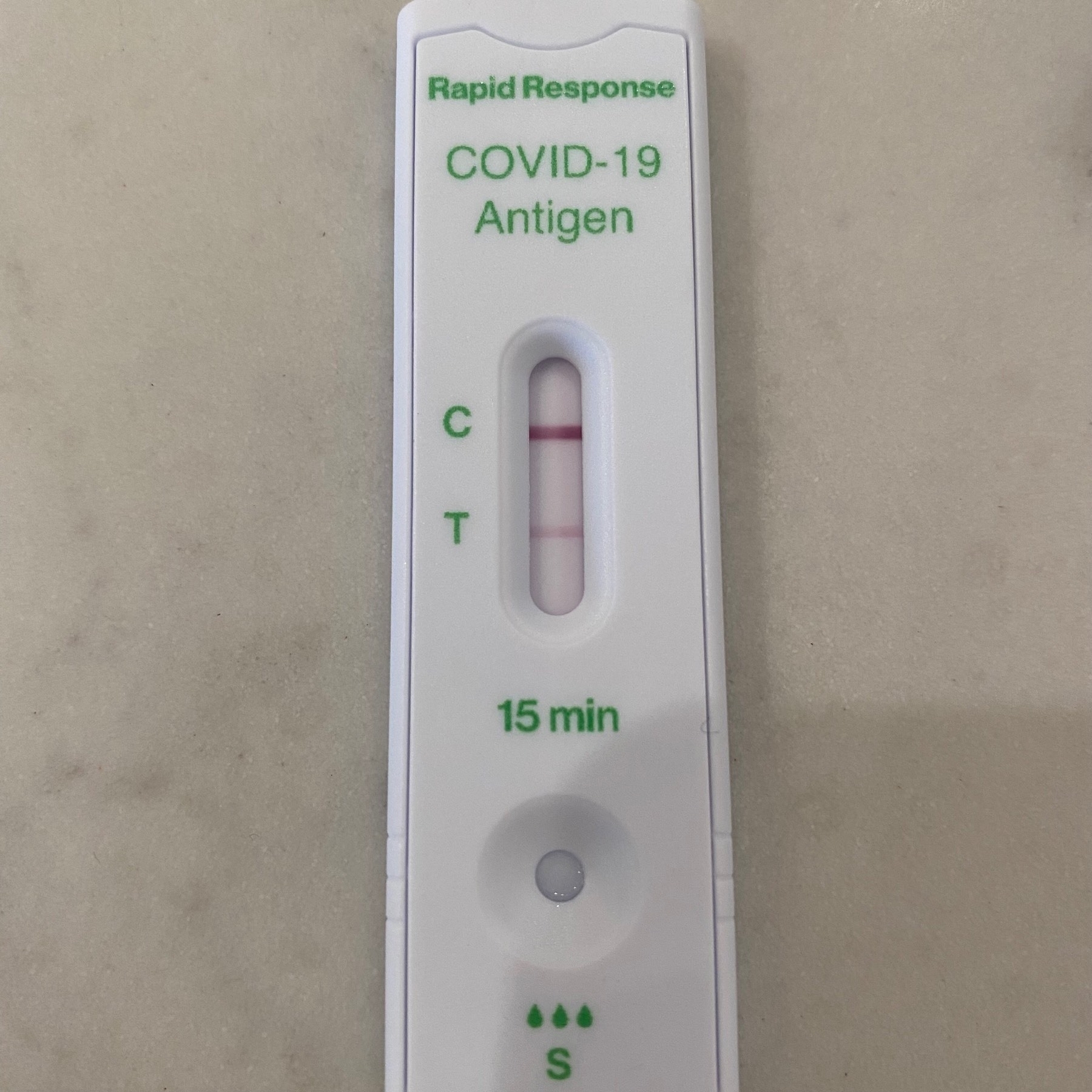
All things considered, my symptoms aren’t too bad, which I’m grateful for. Nonetheless, I’ve mostly been in bed for a couple of days to properly recover.
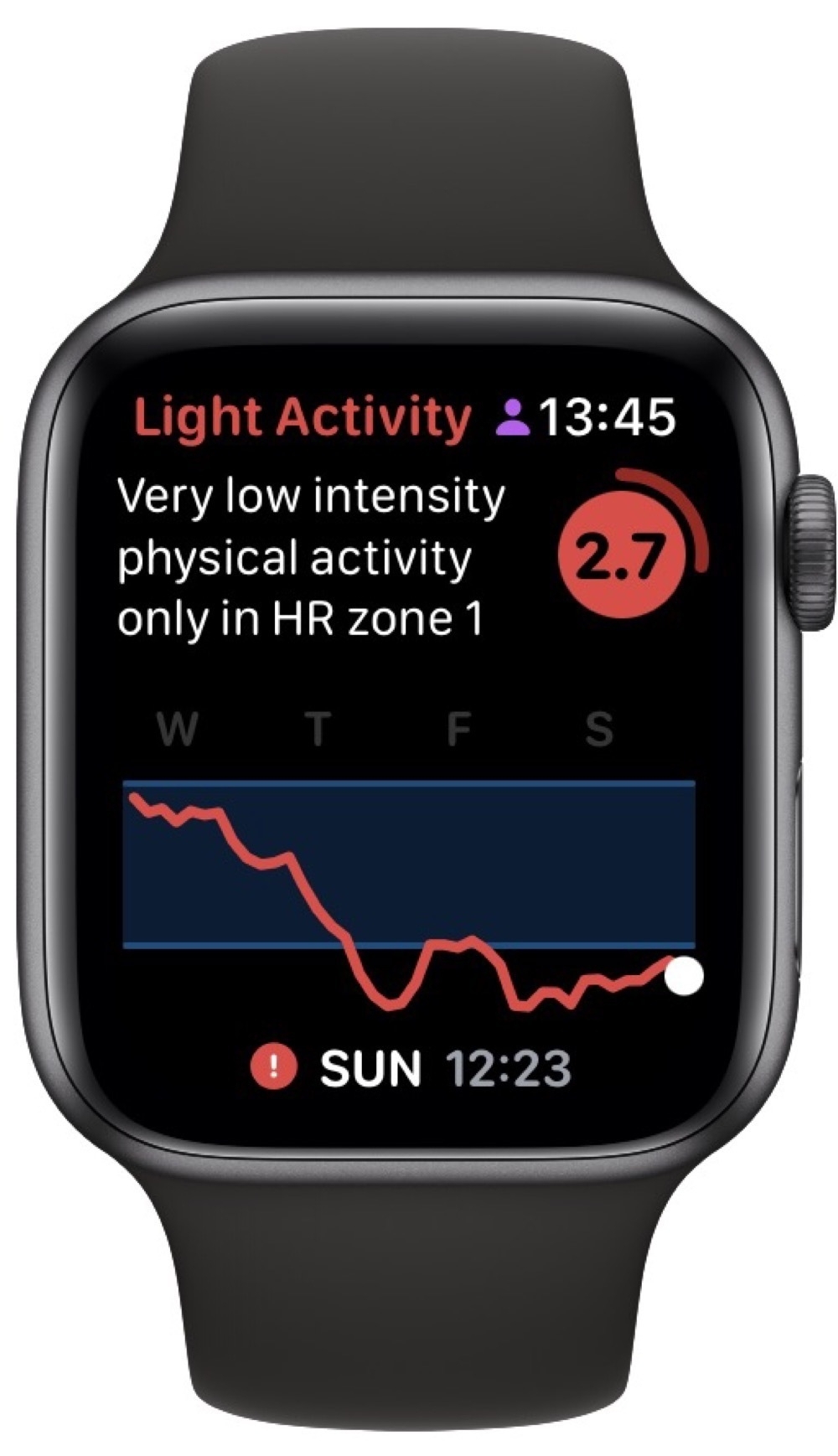
Since I’ve been monitoring my Readiness To Train (RTT) score, I was curious to see how COVID would appear in the metrics.
Thursday morning was the first indication that something was wrong. I completed what felt like a reasonably strong swim workout, only to suddenly feel really drained of energy while walking home from the pool.
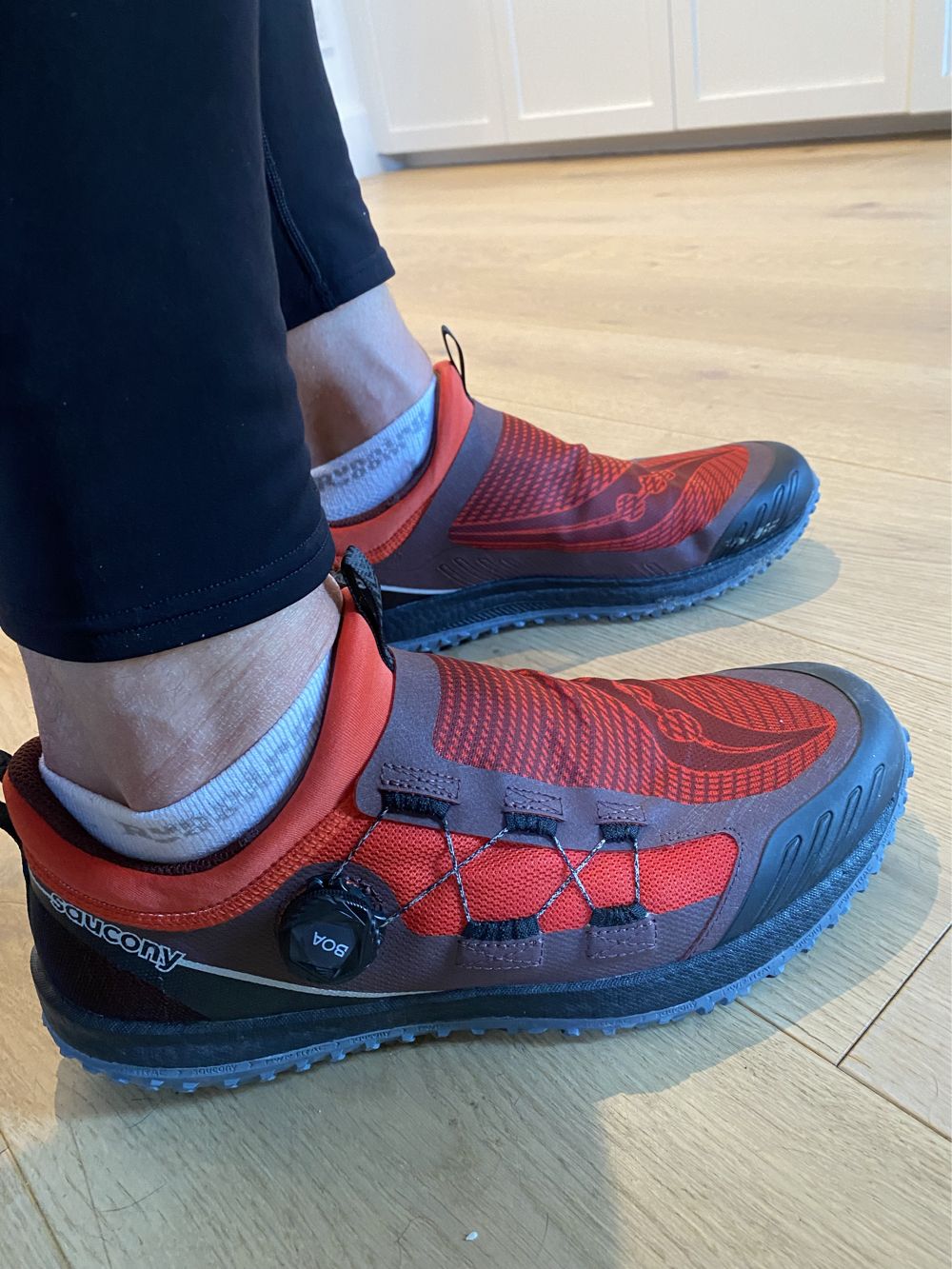
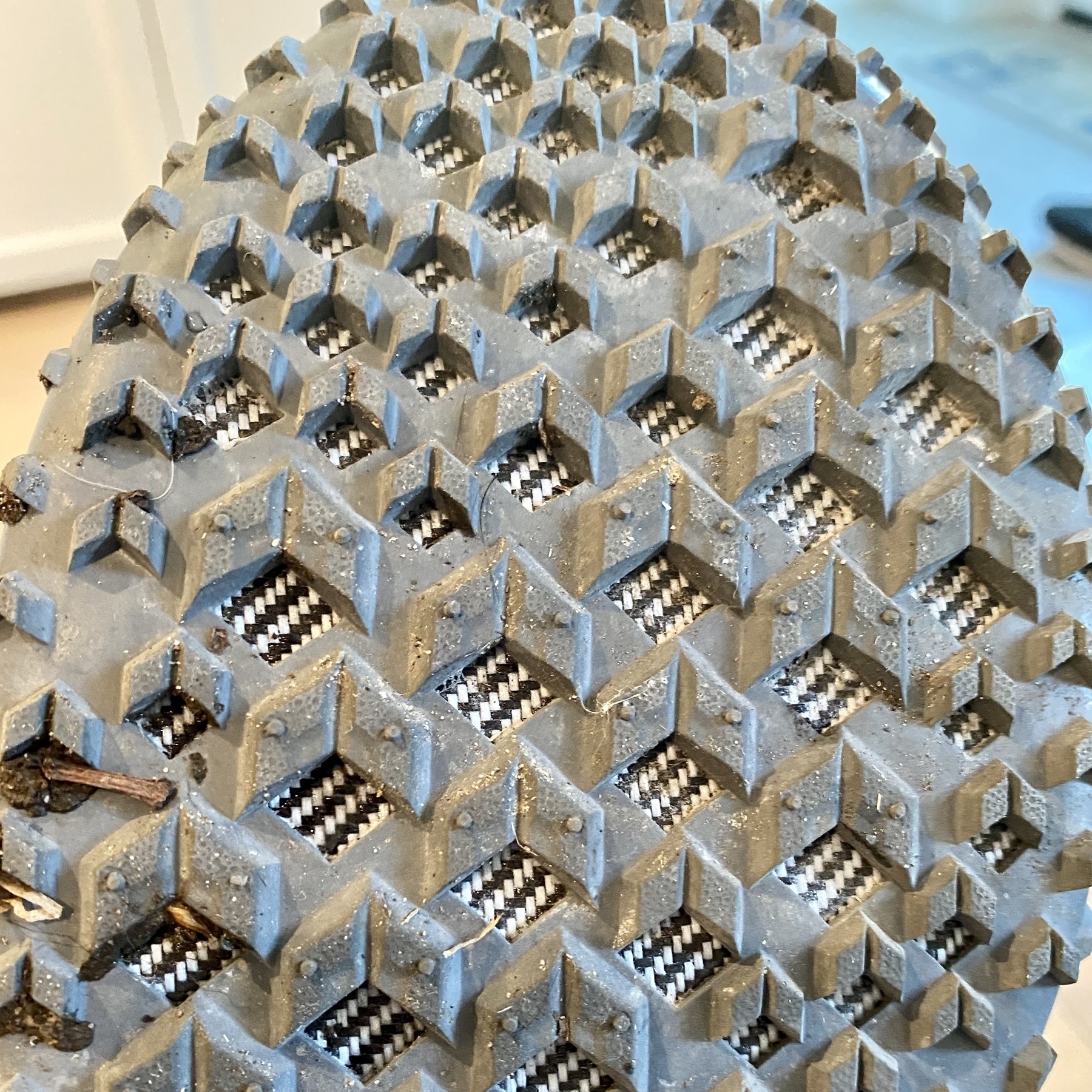
I added a new pair of running shoes to my closet: Saucony Switchback 2. They are a lightweight trail shoe with the BOA Fit System (rather than laces) and good treads for gripping.
I took them out for a 10k run around the neighbourhood. Not quite the right conditions, since I was mostly on sidewalks and they’re trail running shoes. Despite that, the shoes felt fast and light. For the first couple of kms, I felt a bit like I was slapping my feet on the ground, since I’m used to more cushioning and my feet weren’t making contact quite when I was expecting them to. I didn’t take long to adjust to a better form though. I’m curious to see what the transition back to my usual shoes is like. Presumably with practice, I’ll be able to switch back and forth easily.
I’m still using MindNode for task management. Seeing all of my tasks, projects, and areas of focus on one mind map has been really helpful, especially since it is integrated with Reminders.
One challenge has been integration with Mail, given the majority of my tasks arrive via email. Despite Apple’s seemingly inexplicable decision to isolate Mail from the usual sharing actions found in other apps, they at least allow drag and drop from Mail into Reminders, which adds a link to the original email message. This works with MindNode too. If you drag an email onto a node, it will add a link there. The issue is that when you synchronize MindNode with Reminders, the links to emails from MindNode no longer work when shown in Reminders.
The last piece of my training setup was an indoor bike trainer. Canadian winters aren’t great for outdoor cycling (-20ºC with a blizzard just a few days ago, for example). So, I picked up an Elite Suito-t which is well reviewed and on sale at my local bike shop. This is a direct transmission model with built in power and cadence sensors.
I don’t have enough space in my house for a spot fully dedicated to cycling. So, I’ve got the bike a trainer tucked in a corner of the basement and then I slide our basement couch out of the way and move the bike in front of the TV when I’m riding. The compact size of the Suito definitely helps here.
I knew going in that a first triathlon requires a lot of planning and gear, especially when you don’t have any equipment.
Given that the cycling component is the longest distance, it is important to have a good bike. Once I knew my size, the next step was to actually choose a bike. And, oh my, are there decisions to make.
As with most things, budget sets a pretty useful constraint. Within that, there’s finding the sweet spot between spending enough to get something good that you won’t regret compromising on later and spending so much that you’ve exceeded your fitness level and can’t capitalize any speed gains from the purchase.
I’ll be spending many hours and a reasonable amount of money on a bicycle over the next few months. To be efficient, comfortable, and injury free, I want the bike to fit me closely. So, I sought the advice of Scott, a professional bike fitter.
Scott has an interesting contraption that is the various parts of a bike, each adjustable, with which he can recreate any frame geometry. He started out with a Trek Domane as a reference point and had me ride it for a few minutes. Then with an assortment of rulers, protractors, and lasers, he measured me, moved parts, measured again, and optimized the fit. Once the fit was established, he generated a detailed report for me of all the various lengths and angles that I can use to confirm the size of any bike that I find.
As an experiment, I spent the past week listening only to the Activity Playlists in Apple Music. So, whatever I was doing, I picked the most closely related playlist.
Often these were straightforward. Cooking dinner with help from the kids: Cooking with Family; triaging the morning inbox of email: Checking Email; mind mapping a project: Brainstorming.
Other times it was more mood oriented. Reading by the fire when it is -20ºC: Winter; augmenting an early Wednesday morning coffee: Wake Me Up!.
I’ve been in a pool with my Apple Watch before, though only either to splash around with the kids or with a beer at an all-inclusive resort. Today was the first time I’ve used it for an actual swimming workout. It has also been a long time since my high school swimming days back in the early 90s. So, an important day!
My coach gave me a straightforward workout:
Warm up 2 x 50m and 4 x 25m
Main set 10 x 50m with 20s rest and 10 x 25m with 20s rest
2 x 100m with 1 min rest
As expected, using the Apple Watch was simple. When you start up the workout, it asks for the length of the pool and then automatically figures out when you stop for a rest. This shows up in the “Auto Sets” in the screenshot below. Based on this, it looks like my rests were longer than planned, though I’m not entirely sure how precise these are and when it decides to start and stop. Something to keep an eye on next time.
Through 2020, I built up an ornate system for tracking my time for both work and personal projects (like this one for reading). For most of 2021, I found this tracking really helpful.
I need to track my hours at work anyway, so using Timery and Shortcuts to automate much of this has been great. Having a strong sense of how long things take and ensuring good balance across projects are all benefits of time tracking.
When I ran a marathon several years ago, my training plan was just to go for countless long runs. Now that I’m older and wiser, I’m going to be more sophisticated in training for Tremblant and that means getting a good coach.
The first question any potential coach has asked is: what is my goal for the race? This is a helpful first sign, since their approach to my training really should be based on my goal. Plus, it has been a good motivator for me to actually share my goal out loud, which helps me think it through.
Inspired by @cedevroe’s semi-regular purges, I’ve gone through my many services and unfollowed, unsubscribed, and deleted everything. And, I mean everything! That’s all of my RSS feeds, newsletters, podcasts, and Micro.blog, Twitter, Instagram, and YouTube accounts. This seemed kind of crazy at first, until I realized that being so attached to these things is rather silly.
Before simply resubscribing to everything, I’m trying to take a more thoughtful approach to why I’m using each of these services.
In preparation for Tremblant, I had my gait analyzed to find out if there are any issues with my running form. I found the process surprisingly thorough and interesting.
Katie (a registered physiotherapist) started out with a general discussion about my running history and goals. Then she filmed me running on a treadmill for about five minutes. We set a fast pace, since that quickly exposes any sloppiness in my running. I have to admit that watching myself running in slow motion was a bit awkward, though my form wasn’t as bad as I’d imagined.
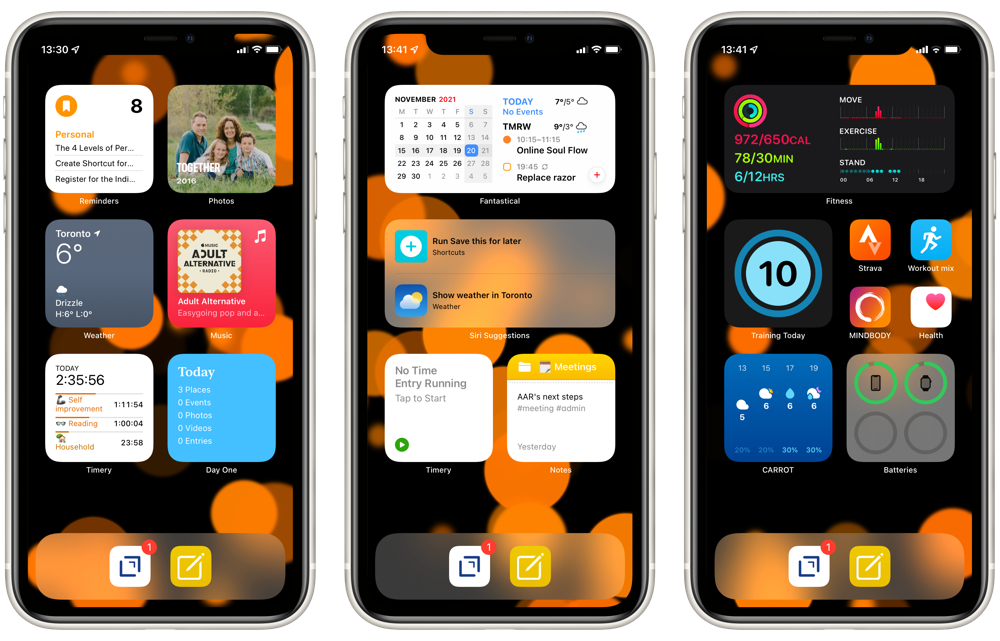
My iPhone Home Screen continues to evolve and, now that we have Focus Modes, I’ve made some further adjustments.
From left to right, I’m using three different Focus Modes: Personal, Work, and Fitness. The first two are entirely widget focused, while Fitness has a few app icons as well.
The dock has Drafts which, as the tagline says, is where text starts. This hasn’t changed from my earlier setups. The second icon launches a front-end Shortcut for Apple Notes. As I described in my Apple Note overview, this is an idea that I’ve borrowed from Matthew Cassinelli and provides a flexible interface to the app.
I like using Bookmarks as a read-it-later service and the highlighting feature is great for quickly blogging excerpts from articles. For longer-term storage, though, and integration with the rest of my notes, it is much better to have the content of the highlights stored within Notes.
So, here’s a Shortcut Micro.blog Highlights to Notes that does exactly this. The Shortcut checks first to see if the highlight is already captured in a note to prevent duplication. It also checks to see if there’s already a note for the webpage, just with a different highlight, and appends the highlight to that note, instead of creating a new one.
Here’s what I’ve identified so far. Many of the approaches and features that I’m using in these use cases are readily available in other apps and often Notes is not the most efficient choice. Now that I’ve documented these use cases, I’d like to use them to assess alternative apps.
One less account to worry about. Not that it was a big deal, but now I don’t need to know the various setup details for my personal email. Once I’ve logged into my iCloud account, my email is ready.
I’m already paying for iCloud+ and, so, might as well use this feature and save some money by not paying for separate email hosting.
I’m actively using Reminders and Notes in iCloud.com and the Mail interface there is decent, certainly better than the rudimentary one offered by my previous email host.
Setup was straightforward with clear instructions. Having said that, the only issue I had was that initiating the setup process simply didn’t work for a few weeks. I tried a couple of times a week and each time I just got a generic error. Then, for no apparent reason, one day it worked. I suspect this was just an issue with rolling out a new service.
Statistics Canada has a wealth of data that are essential for good public policy. Often a good third of my analytical scripts are devoted to accessing and processing data from the Statistics Canada website, which always seems like a waste of effort and good opportunity for making silly errors. So, I was keen to test out the cansimpackage for R to see how it might help. The quick answer is “very much”.
I’m trying to sequence my workouts in a more systematic way to avoid overtraining. I’ve found Training Today really helpful in determining this Readiness To Train (RTT). The app uses data collected by my Apple Watch to provide a straightforward indicator of how ambitious I should be on any particular day.
As an example, here’s today’s evaluation:
This matches how I feel 🥴. So, today was a good day for some recuperative yoga.
In my corner of the internet, there’s a well trodden, twisted path of searching for the one true notes app. I’ve reached a fork in the path between Agenda and Craft. As I wrote earlier, I’ve been using Agenda for a while now and its date-based approach really suits my meeting-dominated work. Now, though, Craft has added calendar integration and I’m testing it out.
There are several things I really like about Craft, relative to Agenda:
There’s been a fair bit of discussion over on Micro.blog about podcast players recently. I’ve switched among Overcast, Castro, and Apple Podcasts players over the years and, mostly to help myself think it through (again), here are my thoughts.
For me, there are three main criteria: audio quality, episode management, and OS integration. Though, I completely understand that others may have different criteria.
Like most podcast listeners, I listen at high speed, usually around 1.5x, which can distort the audio. Apple Podcasts player is definitely the worst for this criterion. For me, Overcast’s smart speed and voice boost features give it the edge over Castro, in terms of audio quality at increased speeds.
Like any 12-year old, my son is pretty keen on gaming. As an all Apple house, his options were a bit constrained. So, we decided to build a PC from components.
I’d last built a PC about 30 years ago, when I wasn’t much older than him. I remember thinking it was cool to be using a machine I’d built myself, plus as a parent it seemed like a good educational experience. I have to admit to being a bit nervous about the whole thing, as there was certainly a scenario in which we spent an entire weekend unsuccessfully trying to get a bunch of malfunctioning components to work.
Staying in touch with my team is important. So, I schedule a skip-level meeting with someone on the team each week. These informal conversations are great for getting to know everyone, finding out about new ideas, and learning about recent achievements.
Getting these organized across a couple of dozen people is logistically challenging and I’ve developed a Shortcut to automate most of the process.
Borrowing from Scotty Jackson, I have a base in AirTable with a record for each team member. I use this to store all sorts of useful information about everyone, including when we last had a skip-level meeting. The Shortcut uses this field to pull out team members that I haven’t met with in the past four months and then randomizes the list of names. Then it passes each name over to Fantastical while also incrementing the date by a week. The end result is a recurring set of weekly meetings, randomized across team members.
Inspired by Coretex, I’m declaring Tangible as my theme for 2021.
I’ve chosen this theme because I want to spend less time looking at a screen and more time with “tangible stuff”. I’m sure that this is a common sentiment and declaring this theme will keep me focused on improvements.
Since working from home with an iPad, I’m averaging about 9 hours a day with an iOS device. This isn’t just a vague estimate; Screen Time gives me to-the-minute tracking of every app I’m actively using.